
Bed Adhesion Troubleshooting: Warping, First Layers, and What Actually Works
A systematic guide to fixing bed adhesion problems on FDM printers — diagnosing warping versus first-layer failure, and the adhesion methods worth using for each material.
Adhesion failure is the most common 3D printing problem, and it’s also the most over-diagnosed. People reach for glue sticks, brims, and bed temperature bumps without first figuring out which of two completely different problems they actually have. Get the diagnosis right and the fix is usually obvious.
There are two failure modes that get lumped together as “it won’t stick,” and they have different causes:
- The first layer never bonds. The print lifts immediately, or you peel it off and the bottom is rough and patchy. This is a setup problem — height, cleanliness, or temperature.
- The print starts fine, then a corner curls up partway through. This is warping — internal stress from uneven cooling pulling the part off the bed. It’s a material-and-environment problem, not a first-layer problem.
Fixing the wrong one wastes time. Start by deciding which you have.
Problem 1: The First Layer Never Bonds
If the failure happens in the first few layers, work through these in order. The order matters — the early items fix far more failures than the later ones.
Clean the Bed
Finger oils are the single most common cause of adhesion failure, and they have nothing to do with your settings. Skin oil from handling the plate leaves an invisible film that filament won’t bond to.
Wipe the build surface with 90%+ isopropyl alcohol and a clean cloth before printing. Don’t use paper tissues — many contain fabric softener residue that makes adhesion worse, a point Prusa specifically calls out in their first-layer troubleshooting. For a weekly deep clean of a PEI sheet, warm water and dish soap, rinsed thoroughly, restores adhesion that alcohol alone can’t.
Check Nozzle Height (Z-Offset)
If the nozzle is too high, filament lays down as round, separated strands that don’t bond to the bed or each other. A correct first layer is slightly squished — the lines are flattened and fused, and you can see the bed texture pressed into the bottom.
If you’ve never dialed this in, our first-layer calibration guide ↗ walks through z-offset adjustment step by step. Most corrections are small — fractions of a millimeter.
Check Bed Level
A first layer that’s perfect in one corner and bad in the opposite corner is a leveling problem, not a z-offset problem. The bed isn’t parallel to the gantry. Manual-level the corners first; if your printer has auto bed leveling, run it after the manual level, not instead of it. ABL compensates for small variation — it can’t rescue a badly tilted bed.
Match Surface to Material
Some combinations simply don’t bond well. PETG bonds aggressively to smooth PEI (so aggressively it can tear chunks out), but pairs nicely with textured PEI at a moderate bed temperature. PLA is happy almost anywhere. Nylon needs Garolite. If you’re fighting adhesion with the wrong surface, no amount of cleaning helps.
Slow Down and Heat the First Layer
The first layer should print at 20-25 mm/s regardless of how fast the rest runs. Slow lines have time to bond. Some printers also let you run the first layer a few degrees hotter; for PETG that can help, for PLA it’s rarely necessary.
Problem 2: Warping
Warping is mechanical stress. As upper layers cool and contract faster than the layers below, the part wants to curl inward, and that force eventually overcomes bed adhesion at the corners. Polymaker’s warping guide frames it well: warping is nearly inevitable if you don’t manage the material’s cooling environment.
Warping severity tracks the material:
- PLA: rarely warps. If PLA is warping, you have a draft or a cooling issue, not a normal PLA behavior.
- PETG: mild warping on large flat parts.
- ABS and ASA: warp aggressively. These are the materials that make people learn about enclosures.
Fix the Environment First
For ABS and ASA, the real fix is ambient temperature. A heated enclosure holding the chamber around 40-50C keeps the whole part warm enough that layers don’t contract unevenly. Without one, large styrene parts will curl no matter what you put on the bed. Our enclosure guide ↗ covers when you actually need one and what a workable DIY version looks like.
Even with PLA, a draft from an open window or an AC vent blowing across the printer causes warping on large prints. Block the draft.
Raise Bed Temperature
A hotter bed keeps the lower layers soft and stuck. For ABS/ASA, that means 100-110C. For PETG, 80-90C. The bed temperature does most of the work of holding the part down while the chamber temperature does the work of preventing the stress in the first place.
Use Geometry to Your Advantage
- Brim: a single-layer skirt fused to the part’s perimeter dramatically increases the area gripping the bed. Prusa recommends trying a brim before reaching for adhesives. It’s the highest-value warping fix for the effort.
- Mouse ears / anchors: small flat discs added at sharp corners in the model, where warping concentrates. Trim them off afterward.
- Rounded corners: sharp 90-degree corners lift more readily than rounded ones. If you’re designing the part, a small fillet helps.
Adhesion Aids, Ranked by When to Use Them
Reach for these only after height, cleanliness, and temperature are correct. An adhesive masking a setup problem just delays the next failure.
- Glue stick (washable PVA): the all-rounder. Improves adhesion for most materials, and just as usefully, acts as a release layer for materials like PETG that bond too hard to bare PEI. Washes off with water.
- Hairspray: same idea, easier to apply evenly. A long-time favorite for ABS on glass.
- Commercial adhesives (Magigoo, 3DLac, and similar): formulated per material, effective, and more expensive. Worth it for genuinely difficult materials or when you print the same hard material constantly.
- ABS-acetone slurry: dissolve ABS scrap in acetone, brush a thin coat on glass. The original ABS bed prep, still excellent for ABS and ASA.
A Quick Diagnostic Flow
- Does it fail in the first 1-2 layers? Clean the bed, check z-offset, check level. In that order.
- Does it start fine then curl at a corner? That’s warping. Block drafts, raise bed temp, add a brim. For ABS/ASA, fix the chamber temperature with an enclosure.
- Perfect on one side, bad on the other? Leveling.
- Was it fine yesterday and bad today with no changes? Almost always a dirty bed or wet filament. Clean the bed; if that fails, dry the filament.
Most adhesion problems are one of these four, and most of them are solved before you ever open a tube of glue. Diagnose the failure mode first, fix the cheap causes first, and save the adhesives for the materials that genuinely need them.
For more context, Bambu Lab printer reviews ↗ covers related topics in depth.
Related
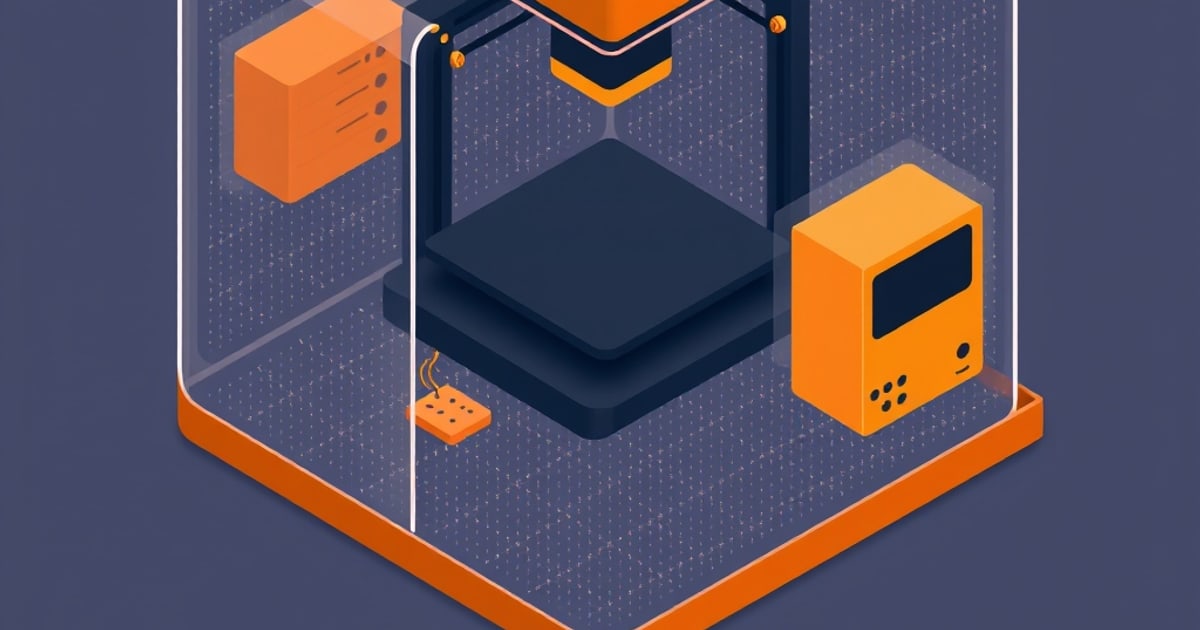
Do You Need a 3D Printer Enclosure? And DIY vs Bought
When an enclosure is genuinely required (ABS and ASA), when it's optional, when it hurts, and how a DIY enclosure compares to a commercial one for FDM printing.
FDM Printer Maintenance: The Routine That Prevents Most Problems
A maintenance schedule for FDM 3D printers — what to do weekly, monthly, and quarterly. The fixes that prevent 90% of mid-print failures.
First Layer Calibration: A Step-by-Step Guide for Any FDM Printer
The first layer determines whether a print succeeds or fails. Here's how to calibrate z-offset, bed leveling, and flow rate to get it right every time.